








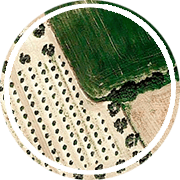

Just a quick one to share a great photo I found today. The other side of the Street View image……
Start of school goodies
This addition to was added on Friday, February 1, 2013 @ 04:02 PM by MickHaving been out of the classroom for a while I still surprisingly get that start of year anxiousness (it gets worse as the end of the holidays gets closer)!
To keep the demons at bay I’ve got a few odds and ends I’ve picked up recently on Twitter. If you aren’t on Twitter, you definitely should be, here is a link to some resources around Twitter (and a few other Web 2.0 info tools). Get on it!
Anyway, here is the fun stuff: View Full Blog Post
Mobile Geospatial Technologies @ AGTA 2013
This addition to was added on Monday, January 7, 2013 @ 11:01 AM by MickAGTA 2013 is here; I can’t believe it was only two years ago we were all in Adelaide! As part of Contour Education’s contribution I’m presenting on the latest and greatest in geospatial education and that is undoubtedly mobile geospatial technologies and how they can be used in the classroom.
To begin, below you will find my presentation for the session.
Here is a recent workshop booklet I have been using with teachers, it contains links to most of the apps that I will discuss and some other useful resources while you are galavanting around in the field with your students. View Full Blog Post
Geo for Good Down Under – Google
This addition to was added on Wednesday, November 7, 2012 @ 12:11 PM by MickJust kicking off a three-day workshop at Google HQ in Sydney on the range of advacned geo tools they have. Lots of exciting things already, but here is my first ever map produced in Google Maps Engine! More to come but I’ll be tweeting irregularly.
Quantum GIS for the classroom
This addition to was added on Sunday, November 4, 2012 @ 10:11 PM by MickJust a quick update to post a resource I’ve tidied up recently. Expect some more classroom stuff in the new year after the Australian Curriculum arrives.
This one is for Quantum GIS (QGIS) and is designed to ease your students (and yourself) into the basics of the software. Best for a town planning unit, I’ll tie it to the Australian Curriculum in early secondary if the final version arrives as planned. Click below to see the activity.
QGIS Landuse Exercise Oct 2012
View Full Blog Post
Geospatial technologies for preservice teachers
This addition to was added on Sunday, November 4, 2012 @ 09:11 PM by MickAnother bunch of resources for tonight. This website would be great for anyone starting out with geospatial technologies as I’ve collated some of the best stuff from online geospatial technologies through to a full-on GIS software package (QGIS).
Use the tabs along the top to navigate and enjoy!
Web 2.0 in humanities presentation
This addition to was added on Sunday, November 4, 2012 @ 09:11 PM by MickA busy few months has meant I’ve been lax with my updates. A couple tonight to keep you going.
The first is a website I’d like to share. I was fortunate enough to present to QUT’s preservice primary humanities teachers recently. I set up a blog containing all of my resources for the day and it is worth sharing. The lecture and tutorials covered the use of Web 2.0 technologies in the classroom and as professional learning tools. There is plenty there, including the use of twitter that I’m really getting into. This has actually forced a few changes in the website that will happen over Christmas (details to come here but I’ll tell you everything on twitter!).
BSHS Year 9 – What are spatial technologies?
This addition to was added on Wednesday, August 29, 2012 @ 09:08 AM by MickTo support my introduction to spatial technologies for our BSHS students, I’ve put together this blog post with all of the links and info.
Some general stuff to start. Wikipedia’s definition of spatial technology (redirects to GIS) and another definition that might be useful.
Introduction
Zombie Survival
In preparation for a zombie outbreak, you have been chosen by your local neighbourhood group to select the location for your neighbourhood evacuation centre. This is a very important decision that you will not live to regret should you get it wrong. To make sure you make the best decision you have decided to use GIS to help you. Your neighbourhood group has also designed a list of criteria. These are things that your evacuation centre MUST have. Your evacuation centre must: View Full Blog Post
Geography of History
This addition to was added on Thursday, August 16, 2012 @ 05:08 PM by MickHere is a great site from the GTASA that blends history and geography really well. Conflict History allows you to search through a database of conflicts throughout history (I just looked up the Battle of Lize in 477 B.C.).
Also, don’t forget our upcoming professional development events in QLD, NSW, ACT and VIC. Get over to our events page to see the flyers and register your interest.
You can search using a range of search parameters as well as by using the map (ever present Google Maps base) and the timescale. Clicking on a conflict will give you some information, images and links to more about that particular conflict. Have your students look at where conflicts occur at different points in time. Where do conflicts occur in 500 B.C., 0, 500, 1500, 2000? Is there a pattern? What changes across this time period? Why?
Upcoming professional development opportunities
This addition to was added on Tuesday, July 31, 2012 @ 01:07 PM by MickHi everyone, now that the GTAQ conference is over it is time to turn my attention to a few upcoming professional development events I have around the country. So far, events have been confirmed for:
- Hervey Bay in Queensland
- Western Sydney in New South Wales
- Canberra in the ACT
- and Eastern Melbourne in Victoria
Go to our events portal to see the flyer and register for these events.
Happily, we have events in the pipeline for:
- Cairns in Queensland
- Toowoomba in Queensland
- Adelaide in South Australia
- Newcastle in New South Wales
- and Darwin in the Northern Territory.
If you are interested in details for these possible events, go to our members page and register to receive information as these events are confirmed.
View 2012 Workshops in a larger map
GTAQ Conference 2012 presentation materials
This addition to was added on Saturday, July 28, 2012 @ 12:07 PM by MickA huge 2012 conference for Contour Education as I’m involved in three of the day’s four workshops! I’ve decided to compile all of my workshop materials here under one post so that those who might have missed out on something can catch up on presentations and relevant resources.
Session 1.1 – Useful Web 2.0 Tools in Secondary Geography
Web 2.0. What is it? How does it work? Will it help my teaching? In a nutshell, this presentation aims to clarify some of the haze around Web 2.0 technologies. Below you will find my PowerPoint presentation for the session.
After viewing the presentation we will look at some of the various tools that may be of use to teachers, all links can be found underneath the presentation.
View Full Blog Post
GeoNerd Quiz
This addition to was added on Thursday, July 19, 2012 @ 12:07 PM by MickHere’s a test for you. I found an old quiz I ran in my workshops a couple of years ago. The questions are below, its out of 18.
Let me know how you go in the comments section!
Google Maps markers
This addition to was added on Friday, July 13, 2012 @ 11:07 AM by MickFor those of you wishing to get a bit more out of Google Maps you can insert your own markers, just like the image below, quite easily.
I have come across a blog post collecting five websites with custom icons that you can use in Google Maps and Earth. So at this very minute I’m editing together another YouTube video for the Google Maps for Educators series. Stay tuned, it will be up in a matter of hours and you can watch it right here! Here it is!
CEGSA 2012 PResentation
This addition to was added on Thursday, July 12, 2012 @ 03:07 PM by MickEstablishing a sustainable spatial technologies program
Today I’ll be presenting to the CEGSA2012 conference for the Computers in Education Group of South Australia. I have collated all of my resources for the day in this blog post. The session has a number of aims:
- to provide some background info on spatial technologies
- to outline some of the common obstacles that teachers and schools face when they begin using spatial technologies in schools
- to give attendees exposure to some spatial tools that exist online

QSITE 2012-Coomera Anglican College: Spatial technologies 2.0 – more than Google Earth
This addition to was added on Wednesday, July 4, 2012 @ 03:07 PM by MickAs part of my presentation to the QSITE 2012 Conference I have collated all of my resources for the day in this blog post. The session has a number of aims:
- to provide some background info on spatial technologies and how they fit into the ‘Web 2.0′ concept
- to outline some of the common obstacles that teachers and schools face when they begin using spatial technologies in schools
- to give attendees some time to actually play with the really cool spatial tools that exist online
New Zealand Geologic Data
This addition to was added on Wednesday, June 27, 2012 @ 12:06 PM by MickSimon Cox from GNS Science in NZ presented some of the wonderful geologic data prepared by GNS Science and I just wanted to summarise of those resources.

GNS Science Links
Simon took us through some of the hard-copy products and digital data available to NZ teachers. There are:
- a range of online maps that you can access here
- geodatabases for a wide variety of NZ data in various formats
GeoServer Data
There were a number of great NZ data layers available from the GNS NZ GeoServer site. You can download these files as KML (for Google Earth), simple image files or Shapefiles (QGIS or ArcGIS).
Other Links
The Carbon Project – Giaa GIS (Open Source)
OneGeology – Global geologic datasets
Examples seen today
Otago Girls’ High School 27 June 2012
This addition to was added on Tuesday, June 26, 2012 @ 08:06 PM by MickAs part of today’s workshop, I’ve put together this blog post to collect some of the resources that we will be using. I will invite all participants to a Dropbox folder that contains all of the handouts we will use during the day, you can also find plenty of useful ‘how to’ style videos on the YouTube video playlists I am creating.
What are spatial technologies?
We’ll be looking at spatial technologies from a very basic point of view today, starting with a presentation on what exactly spatial technologies are.
Online spatial technologies
We’ll then get hands-on and check out some of the amazing, simple and amazingly simple online spatial technologies. Be prepared for some (very enjoyable) homework as you hurry back to check out some of the resources. You don’t believe me do you? We’ll see……
To access the resources that we cover on the day and more, go to our Links page. You should also keep an eye on our main blog page to see useful sites as they are posted.
View Full Blog Post
Contour Education on social media, join us!
This addition to was added on Tuesday, June 12, 2012 @ 02:06 PM by MickWell, we’ve taken the plunge and joined twitter as well as Facebook. We hope that all of you busy teachers can engage with us in ways other than visiting our website so we’ll be posting more and more material on both forums.
For those of you who have had a go at twitter you may have been scratching your head at the value of it all. I certainly was for a while. But I’ve decided that it isn’t ever going to be the be-all-and-end-all of technology in the classroom but for me at least, I do see some value in it for teachers. I’ve settled into a routine of posting my links, useful links I come across and ‘retweeting’ (passing on) other people’s tweets. I’ve slowly started to follow people and more and more are slowly following me as I pass things along and connect with people across the planet. The other day a technology educator from Singapore started following me so I follow her and I get to see the tweets that she posts or retweets. If you are looking for a simple starting place to get your head around things, I would suggest having a look at this blog post. Apologies for the incorrect spelling of ‘mum’, don’t know how that got past the editor…..
The hashtag or ‘#’ symbol is a way to tag your tweets so that people who search for particular things will come across it. So for a tweet I sent containing some geography animations I added ‘#geography #animations #geographyteacher’ so that those who use these searches regularly (you can save searches) will come across the resources. Similarly, if I’m looking for some useful stuff on Google Maps I would search for #gmaps or #googlemaps and I would get a list of tweets containing those tags.
Another nice feature, for a geographyteacher at least, is the global nature of twitter. I’ve already mentioned how I am slowing connecting with people all over the globe. The best material is the UK geography stuff, search for #geographyteacher to see tweets that people have tagged. There are also twitter trend maps so you can see where different tags are trending around the world. Try this one. So far, I’ve found twitter to be a useful tool for connecting with like-minded people and gathering useful resources and news from around the world, sign up for free and follow me to join the party!
Contour Education’s twitter profile.
Most of you would be familiar with Facebook so I won’t bang on about how good it is (in moderation!). Despite the obvious time-sink that it can be, Facebook is great for sharing stuff with friends or family, near or far. Come on down and like us to get the odd useful resource or tool for your teaching.
Contour Education’s Facebook page.
Geography Clip of the Week 12 June 2012
This addition to was added on Tuesday, June 12, 2012 @ 01:06 PM by MickA beautiful time-lapse of New York from Cameron Michael via Vimeo.
The Map as Art
This addition to was added on Monday, May 28, 2012 @ 09:05 AM by MickGeographers love maps. Loooooooooove maps. You all know what I’m talking about.
Here is a wonderful Flickr set of photos that shows how the Washington D.C. Metrorail manufacture their illuminated platform box maps. There are 12 colours used and each is individually screen printed onto the map. The photo set contains a shot of each stage of the process so you can follow the action. The link to the photoset is here.
Stage 1
Stage 2
More after the jump….. View Full Blog Post


